Post
The Best Chairs for Back Pain: Expert Recommendations and What to Avoid
Jun
The Best Chairs for Back Pain: Expert Recommendations and What to Avoid
Back pain is one of the most widespread health complaints in the modern world, affecting an estimated eighty percent of adults at some point in their lives. Its impact extends beyond individual suffering, costing economies billions in lost productivity and healthcare expenses annually. While back pain has many causes, prolonged sitting in poorly designed chairs is a major contributing factor for a significant portion of sufferers. The good news is that choosing the right chair — and using it correctly — can dramatically reduce back pain for many people. This guide provides expert-informed recommendations for the best chairs for back pain sufferers and identifies the common chair features that make back pain worse.
Understanding the Relationship Between Chairs and Back Pain
To understand why some chairs cause or worsen back pain while others help relieve it, it is helpful to understand some basic spinal anatomy. The human spine has three natural curves: an inward curve at the neck (cervical lordosis), an outward curve at the mid-back (thoracic kyphosis), and an inward curve at the lower back (lumbar lordosis). These curves work together to distribute the load of your body weight and absorb the shocks of daily movement. Maintaining these natural S-shaped curves is crucial for spinal health, as they provide stability and flexibility.
When you sit without proper support, these natural curves tend to collapse. Most commonly, the lumbar curve flattens as the pelvis rotates backward, a posture often referred to as “posterior pelvic tilt.” This flattens the natural lumbar lordosis, putting significant stress on the intervertebral discs of the lower back (L4-L5 and L5-S1 are particularly vulnerable). Over hours of sitting, this stress accumulates and causes the inflammation, muscle fatigue, and disc compression that manifest as back pain. It can also exacerbate conditions like sciatica, where pressure on the sciatic nerve causes pain radiating down the leg. The right chair supports these natural curves and prevents or minimizes this collapse, helping your spine maintain its optimal alignment even during prolonged periods of sitting.
Essential Features for Back Pain Relief
When searching for a chair to alleviate back pain, focus on adjustability and support tailored to your unique body. Here are the key features:
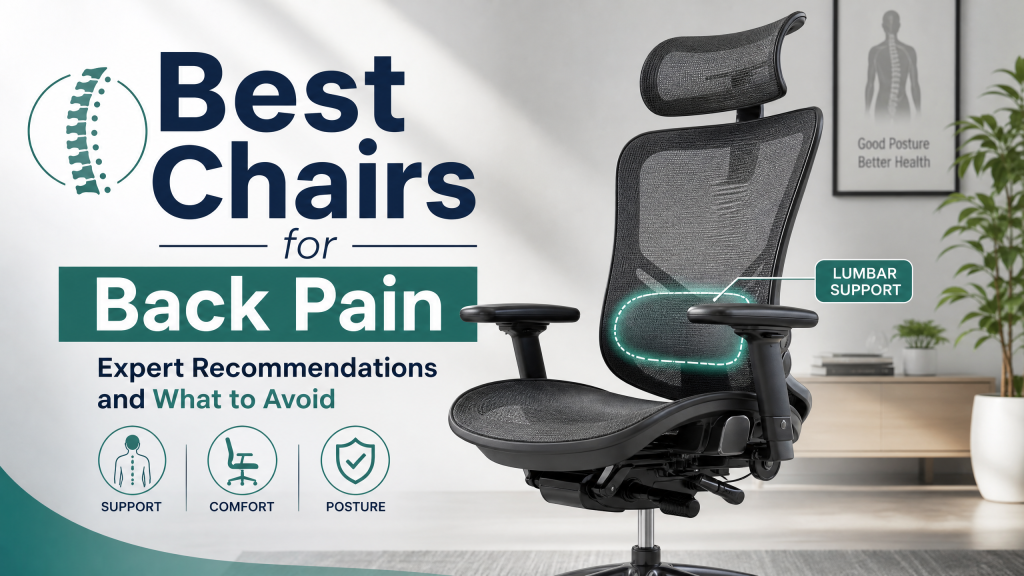
- Adjustable Lumbar Support: This is the single most important feature to look for in a chair for back pain. The lumbar support should be positionable both vertically — to align with your specific lower back anatomy, ideally resting just above your belt line — and in terms of depth or firmness, so it gently maintains your lumbar curve without pushing it excessively. Some chairs offer dynamic lumbar support that flexes with your movement, which can be highly beneficial. A lumbar support that is too aggressive or improperly positioned can actually cause pain by hyperextending or misaligning the lumbar spine.
- Seat Tilt Adjustment: This is another crucial feature that many people overlook. The ability to tilt the front of the seat slightly downward (called forward tilt or seat pan tilt) reduces the tendency for the pelvis to rotate backward, which in turn makes it easier to maintain a healthy lumbar curve. This seemingly minor adjustment can make a significant difference for people with tight hip flexors or who tend to slouch. Additionally, the ability to recline and lock the seat at various angles allows for dynamic sitting, changing pressure points and encouraging movement.
- Sufficient Seat Depth: This is important for distributing your weight appropriately across your thighs. If the seat is too short, most of your weight concentrates on a small area of your buttocks, creating pressure and discomfort. If the seat is too deep, you cannot sit with your back against the backrest without compressing the back of your knees or calves (you should be able to fit 2-4 fingers between the edge of the seat and the back of your knees). Adjustable seat depth, available on many quality ergonomic chairs, allows you to optimize this dimension for your body, accommodating different leg lengths.
- Seat Height Adjustment: Your feet should be flat on the floor or a footrest, with your knees at roughly a 90-degree angle (or slightly open, 90-100 degrees). This ensures proper circulation and aligns your hips and spine correctly. Gas lift mechanisms allow for smooth, precise height adjustments, crucial for matching your chair to your desk height and your own stature.
Beyond Lumbar: Other Critical Ergonomic Adjustments
While lumbar support is paramount, a truly ergonomic chair for back pain addresses the entire body. Consider these additional features for comprehensive comfort and support:
- Adjustable Armrests: Properly adjusted armrests can significantly reduce strain on your neck, shoulders, and upper back by supporting the weight of your arms. Look for armrests that adjust in height (so your elbows are at about a 90-degree angle when typing), depth (forward and backward), and pivot (in and out). “4D” armrests offer the most flexibility. They should allow you to get close to your desk without obstruction.
- Backrest Recline and Tension Control: A quality ergonomic chair offers a recline function that allows you to lean back and change your posture throughout the day. This dynamic sitting is vital for spinal health, as it reduces static load on the discs and muscles. Tension control allows you to adjust the resistance of the recline mechanism to match your body weight, ensuring comfortable and supportive movement. Some chairs feature synchronous tilt, where the seat and backrest recline in a coordinated motion, maintaining a consistent back angle relative to the seat.
- Headrest/Neck Support: While not essential for everyone, a well-designed, adjustable headrest can provide excellent support for the neck and upper spine, especially during reclined postures or for individuals with neck pain. It should support the natural curve of your cervical spine without pushing your head forward.
- Chair Material and Breathability: The material of your chair impacts comfort and hygiene. Mesh backrests promote airflow, keeping you cool, which is especially important in warmer climates or for extended sitting. High-quality fabric or leather can also be comfortable, but ensure the padding is supportive and firm enough to prevent sinking, which can negate ergonomic benefits.
The Importance of Proper Sitting Posture
Even the best ergonomic chair won’t eliminate back pain if you don’t use it correctly. Understanding and maintaining proper sitting posture is key to maximizing the benefits of your investment. Here’s how to ensure you’re sitting correctly:
- Feet Flat on the Floor: Your feet should be flat on the floor or a sturdy footrest. Avoid dangling your feet or tucking them under your chair, as this can impede circulation and stress your lower back.
- Knees at 90-100 Degrees: Ensure your knees are at roughly a 90-degree angle, or slightly open (hips slightly higher than knees) if using a forward tilt. This prevents slouching and encourages proper pelvic alignment.
- Back Against the Backrest: Always sit with your lower back firmly against the chair’s lumbar support. This ensures your natural spinal curve is maintained. Resist the urge to slouch forward.
- Shoulders Relaxed: Your shoulders should be relaxed and down, not hunched up towards your ears. Your elbows should be at a 90-degree angle, close to your body, supported by your armrests if possible.
- Monitor at Eye Level: Position your computer monitor so the top third of the screen is at eye level. This prevents neck strain and encourages an upright posture.
- Avoid Crossing Legs: Crossing your legs can lead to poor circulation, hip imbalance, and spinal misalignment over time.
Chairs to Avoid if You Have Back Pain
Not all chairs are created equal, and some can actively worsen existing back pain or contribute to its development. Be wary of the following:
- Bucket-Style Chairs: Chairs with a pronounced concave shape or heavily contoured seats (often found in older car seats or some gaming chairs) may feel comfortable initially but can worsen back pain by positioning the pelvis in a posteriorly rotated position that flattens the lumbar curve. This forces your spine into an unhealthy C-shape.
- Chairs Without Lumbar Support: Any chair that lacks adequate, adjustable lumbar support is problematic. This includes many basic office chairs, dining chairs used for prolonged work, and aesthetic-focused designer chairs that prioritize looks over ergonomics.
- Chairs with Fixed Seats and No Adjustability: If a chair cannot be adapted to your specific body dimensions (height, depth, recline), it is a poor choice for anyone with back pain. One-size-fits-all chairs rarely fit anyone perfectly.
- Overly Soft or Cushioned Chairs: While feeling comfortable when you first sit down, overly soft or plush chairs often allow the body to sink into positions that are poorly aligned over time. The initial comfort can mask the fact that the chair is not providing adequate structural support. Look for chairs with supportive but not excessively soft padding that provides firm resistance.
- Poorly Designed Gaming Chairs: While some high-end gaming chairs incorporate good ergonomics, many cheaper models prioritize aggressive “racing seat” aesthetics over genuine support. They often have fixed lumbar pillows that push too hard or are in the wrong place, and can lack essential adjustability, leading to poor posture during long gaming sessions.
Movement and Back Health: The Dynamic Approach
No chair, however well designed, can compensate for sitting completely still for hours on end. The spine needs movement to stay healthy — movement circulates nutrients through the intervertebral discs, prevents muscle fatigue from sustained static postures, and promotes circulation throughout the body. The human body is designed to move, not to be static for hours. Even in the most ergonomic chair, prolonged static posture can lead to stiffness, fatigue, and pain.
Therefore, look for chairs with a recline mechanism that encourages natural movement throughout the day. This allows you to change your posture frequently. Additionally, incorporating movement breaks into your routine is genuinely important regardless of chair quality:
- Take Micro-Breaks: Every 30-45 minutes, stand up, stretch, or walk around for 1-2 minutes. Even a brief change in posture can make a big difference.
- Stretch Regularly: Gentle stretches for your back, neck, shoulders, and hip flexors can counteract the effects of prolonged sitting. Simple standing back extensions or neck rotations can be very effective.
- Consider a Standing Desk: Alternating between sitting and standing throughout the day is an excellent way to keep your body active and reduce static load on your spine. If a full standing desk isn’t feasible, consider a desktop converter.
- Walk During Calls: If you have phone calls, try taking them while walking around your office or home.
- Incorporate Exercise: Regular physical activity, especially core-strengthening exercises, dramatically improves spinal health and resilience against back pain.
Setting Up Your Ergonomic Workstation for Optimal Comfort
An ergonomic chair is just one component of a healthy workspace. Your entire workstation should be set up to support good posture and minimize strain. Here’s a checklist for an optimal setup:
- Monitor Placement: Position your monitor directly in front of you, at arm’s length. The top of the screen should be at or slightly below eye level. If you use multiple monitors, ensure your primary screen is centered.
- Keyboard and Mouse: Place your keyboard directly in front of you, close enough that you don’t have to reach. Your wrists should be straight, not bent up or down. A wrist rest can be helpful but shouldn’t be used constantly. Your mouse should be close to your keyboard, allowing you to operate it without overreaching.
- Lighting: Ensure your workspace is well-lit to prevent eye strain. Avoid glare on your screen by positioning your monitor perpendicular to windows or using blinds.
- Clear Workspace: Keep your desk free of clutter. Ensure frequently used items are within easy reach to minimize twisting and stretching.
- Footrest (if needed): If your chair height is adjusted correctly but your feet still don’t touch the floor, use an adjustable footrest to maintain the proper knee and hip angles.
Specific Chair Types and Considerations
The “best” chair often depends on your specific needs, body type, and the duration of your sitting. Here are a few categories to consider:
- High-End Ergonomic Office Chairs: Brands like Herman Miller, Steelcase, and Humanscale are leaders in this segment, offering extensive adjustability, premium materials, and innovative designs (e.g., dynamic recline, advanced lumbar systems). While an investment, they are often designed for 8+ hours of daily use and come with long warranties.
- Task Chairs: These are generally more affordable than high-end ergonomic chairs but still offer decent adjustability, suitable for 4-6 hours of daily use. They often focus on the core ergonomic adjustments like seat height, backrest tilt, and basic lumbar support.
- 24/7 Chairs: Designed for continuous use in multi-shift environments (e.g., control rooms), these chairs are built with extreme durability and robust adjustability to accommodate many different users for very long periods.
- Ergonomic Gaming Chairs: While many gaming chairs are more style than substance, a select few high-quality models (often from reputable ergonomic manufacturers or those specifically designed for long sitting sessions) integrate proper ergonomic features like adjustable lumbar, deep recline, and robust construction. It’s crucial to research reviews focusing on ergonomics rather than aesthetics.
- Active Sitting Solutions: Options like kneeling chairs, balance ball chairs, or saddle stools encourage more movement and engage core muscles. While not suitable for everyone or for all-day use, they can be excellent complements to a traditional ergonomic chair, promoting varied postures.
Frequently Asked Questions (FAQ)
Q: How long should I spend adjusting my chair?
A: Take your time! Initial setup might take 15-30 minutes as you fine-tune each adjustment. After that, make small adjustments throughout the day as you change tasks or postures. Think of it as an ongoing dialogue with your body.
Q: Can a good ergonomic chair cure my back pain?
A: A good ergonomic chair can significantly reduce, alleviate, and prevent back pain, especially if it’s related to prolonged sitting and poor posture. However, it’s not a magic cure. For persistent or severe pain, it’s crucial to consult a healthcare professional (doctor, physical therapist, chiropractor) to identify the root cause and develop a comprehensive treatment plan that may include exercise, stretching, and medical interventions.
Q: What’s the difference between static and dynamic lumbar support?
A: Static lumbar support provides a fixed level of pressure and position, though it can often be adjusted manually for height and depth. Dynamic lumbar support, found in more advanced chairs, automatically adjusts and flexes with your body’s movements, providing continuous support as you shift and recline. Dynamic support often encourages more natural movement and is generally preferred for long hours of sitting.
Q: Are standing desks better than ergonomic chairs?
A: Neither is inherently “better” than the other. The optimal solution for spinal health is a combination of both: an ergonomic sit-stand workstation that allows you to alternate between sitting and standing throughout the day. This variation in posture is key to reducing static load, improving circulation, and preventing discomfort. If you can only choose one, a highly adjustable ergonomic chair is often a foundational step.
Q: How often should I replace my ergonomic chair?
A: The lifespan of an ergonomic chair depends heavily on its quality, usage, and maintenance. High-quality chairs from reputable brands often come with warranties of 10-12 years or even longer, reflecting their durability. Cheaper chairs might only last 3-5 years before cushioning flattens, mechanisms wear out, or adjustability becomes compromised. If you notice a decline in support, squeaking, loose components, or if your pain returns, it’s likely time for a replacement or professional repair.
Our store has helped hundreds of back pain sufferers find chairs that have made a real difference to their daily comfort. We understand that choosing the right chair is a significant decision for your health and well-being. Come in and speak with our team of ergonomic specialists, and bring any information your physiotherapist or doctor has given you about your specific back condition. We can help you navigate the options and find the chair that will truly support your recovery and long-term spinal health, ensuring comfort and productivity for years to come.
“`
