Post
How to Choose the Right Chair for Your Home Office Setup
Jun
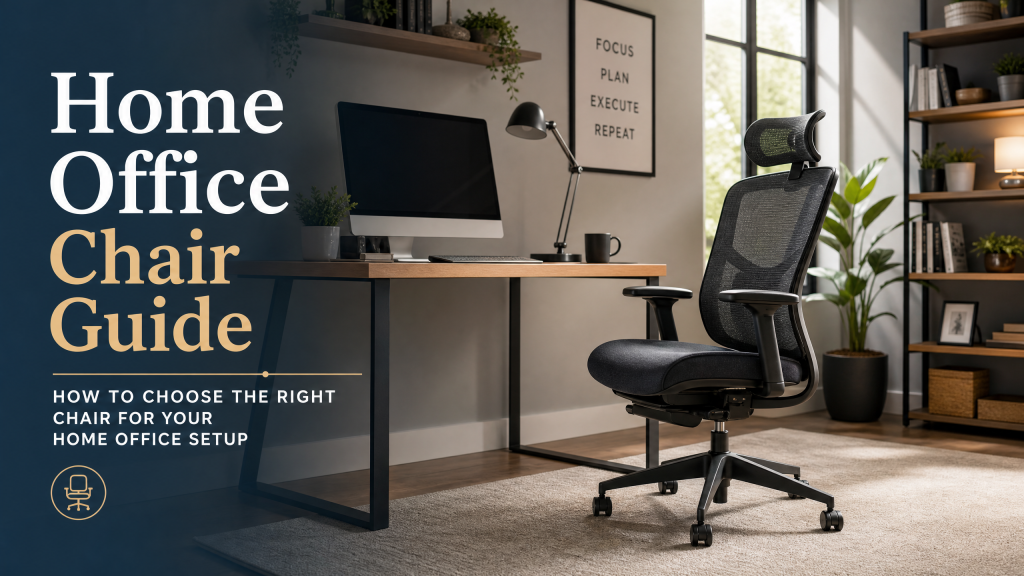
How to Choose the Right Chair for Your Home Office Setup
Working from home has transformed from a rare privilege into a mainstream reality for tens of millions of people around the world. With this shift has come a growing awareness that a proper home office setup is not a luxury — it is a necessity for health, productivity, and long-term career performance. At the center of any effective home office setup is the chair. Choosing the right chair for your home office is one of the most impactful decisions you can make for your daily well-being and work output, significantly reducing the risk of discomfort, pain, and long-term musculoskeletal issues often associated with prolonged sitting.
The Unique Challenges of the Home Office
Home offices present some specific challenges that differ from corporate environments. In a corporate setting, furniture is typically selected by facilities managers who have at least some awareness of ergonomic standards, and there may be HR resources available to help employees address ergonomic issues. At home, every decision falls to you, and the temptation to cut corners on furniture costs is significant when you are furnishing the space yourself. This often leads to using dining chairs, stools, or even sofas as primary workstations, which are entirely unsuitable for extended periods of work and can quickly lead to back pain and other problems.
Another challenge is that home offices are often multi-purpose spaces. Your home office chair might also serve as the chair where you read, watch videos, or attend to personal correspondence. This means it needs to perform well across a broader range of activities than a purely task-focused office chair. It must blend functionality with an aesthetic that complements your home decor, making the selection process more nuanced than for a purely utilitarian office environment.
Assessing Your Work Pattern
Before selecting a home office chair, honestly assess how you actually work. How many hours per day do you typically sit? What tasks do you spend the most time on? Do you tend to sit very upright and focused, or do you prefer a more relaxed, slightly reclined posture? Do you frequently move between tasks that require different positions, or do you tend to stay in one posture for extended periods? Understanding your typical work pattern is paramount to finding a chair that truly supports your body and enhances your productivity without causing strain.
These questions matter because different chair designs suit different work patterns. If you spend most of your day in concentrated focus work at a keyboard, a highly adjustable ergonomic task chair with excellent lumbar support and armrests at keyboard height is your priority. If your work involves reading, video calls, and writing in more varied proportions, a chair with excellent recline capability and headrest support might be equally important. Consider also if you use a standing desk; in that case, you might need a perching stool or a chair designed for varied height workstations.
Space Considerations for Home Offices
Home offices are frequently smaller than corporate office spaces, and the chair needs to fit both the room and the desk without overwhelming either. Measure your desk and the surrounding space carefully. A chair with a very large base diameter or wide armrests might not work well in a compact home office even if it is otherwise excellent. Consider whether you need the chair to be easily movable to other areas of your home, which would argue for lighter weight and smoother casters. The overall footprint, especially when fully reclined or adjusted, should not impede movement or create a cramped feeling.
Aesthetics also matter more in a home office than in a corporate environment. Since your home office is part of your living space, you will likely want a chair that looks attractive rather than purely clinical or utilitarian. Fortunately, the market for stylish ergonomic chairs has grown enormously, and there are now many excellent options that combine serious ergonomic function with genuinely attractive design. Materials, color, and silhouette can all play a role in integrating your chair seamlessly into your home decor.
Budget Reality Check
A common mistake home office workers make is severely underbudgeting for their chair while overbudgeting for technology. People will readily spend a thousand dollars on a laptop, monitor, keyboard, and webcam while trying to spend as little as possible on the chair they sit in for eight hours a day. This priority inversion is unfortunate because your chair has a far greater impact on your physical health and daily comfort than any of those other items.
Think of your home office chair as an investment in your health and productivity rather than a furniture expense. A quality ergonomic chair that costs four hundred to eight hundred dollars and lasts fifteen years is an excellent investment. Factor in the potential savings in medical costs from avoiding back pain and other musculoskeletal issues, and the financial case becomes even clearer. Investing in a good chair can prevent costly chiropractor visits, physical therapy, and lost workdays due to discomfort.
Key Ergonomic Features to Prioritize for Optimal Comfort
When selecting an ergonomic chair, certain features are non-negotiable for supporting long-term health and productivity. Understanding these will help you discern a truly ergonomic chair from one that merely looks the part.
- Adjustable Lumbar Support: Your lower back naturally curves inward. An excellent ergonomic chair will offer adjustable lumbar support (both height and depth) to match this curve, preventing slouching and reducing pressure on your spine. This is crucial for preventing lower back pain common in remote work.
- Adjustable Armrests: Armrests should be adjustable in height, allowing your forearms to rest gently, keeping your shoulders relaxed and your wrists straight while typing. Ideally, look for 3D or 4D armrests that also adjust forwards/backwards, pivots, and side-to-side, providing optimal support for various tasks.
- Seat Pan Adjustability: The seat should be adjustable in height so your feet can rest flat on the floor (or on a footrest) with your knees at a 90-degree angle. Seat depth adjustment is also vital; there should be about 2-4 inches between the edge of the seat and the back of your knees, preventing pressure on your thighs. A “waterfall” front edge also helps circulation.
- Backrest Adjustability and Recline: The backrest should be tall enough to support your entire back and allow for a natural recline. Look for a chair with a good tilt mechanism (e.g., synchro-tilt, where the seat and back recline together) and tension control, allowing you to recline comfortably while maintaining lumbar support. Locking tilt positions are a bonus for varied postures throughout the day.
- Headrest/Neck Support: While not essential for all, a headrest is very beneficial if you spend time reclining, making phone calls, or simply need a break from an upright posture. It should be adjustable in height and angle to comfortably support your neck and head.
- Materials and Breathability: Consider materials that allow for airflow, like mesh backs, to prevent heat build-up during long working hours. High-quality fabric or leather can also be comfortable but may retain more heat. Durability and ease of cleaning are also important considerations.
- Stable Base and Casters: A five-point star base is standard for stability. Ensure the casters (wheels) are appropriate for your flooring. Soft casters are better for hard floors, while hard casters are better for carpet, preventing damage and ensuring smooth movement.
Beyond the Standard: Exploring Different Chair Types
While the ergonomic task chair is often the ideal choice, other types of chairs might suit specific needs or preferences for a home office environment:
- Ergonomic Task Chairs: These are the gold standard, offering extensive adjustability designed for prolonged sitting and focused work. They prioritize functionality, comfort, and spinal health.
- Executive Chairs: Often characterized by plush upholstery, high backs, and sometimes less granular adjustability than a dedicated task chair. They prioritize aesthetics and status, but some high-end models can offer excellent ergonomics.
- Gaming Chairs: Popular for their bold aesthetics and bucket-seat design, many gaming chairs come with separate lumbar and neck pillows. While they offer a certain style and can be comfortable, their ergonomic design is often debated, with some lacking the nuanced adjustability found in true ergonomic office chairs. Always test one thoroughly if considering it for work.
- Kneeling Chairs: These chairs aim to reduce pressure on the lower back by distributing weight between the shins and buttocks. They can be a good option for posture variation but are generally not recommended for full-day use.
- Active Sitting Chairs/Stools: Designed to promote movement and core engagement, these include balance balls, wobble stools, and perching stools. They are excellent for short durations or as a complement to a standing desk, encouraging dynamic posture.
- Standing Desk Chairs/Stools: Specifically designed to be used with standing desks, these provide support for a “perched” or semi-standing position, allowing users to take weight off their feet without fully sitting.
Integrating Your Chair for a Holistic Ergonomic Setup
Your chair is a crucial component, but it works best as part of an overall ergonomic strategy for your home office. Ensure your entire workstation supports a healthy posture and workflow:
- Desk Height: Your desk should allow your arms to form a 90-degree angle at the elbows when typing, with your shoulders relaxed. Adjustable height desks offer the most flexibility.
- Monitor Position: The top of your monitor screen should be at or slightly below eye level, about an arm’s length away. This prevents neck strain.
- Keyboard and Mouse: Use a comfortable keyboard and mouse that keep your wrists in a neutral, straight position. Avoid excessive bending or twisting.
- Lighting: Ensure adequate, glare-free lighting to reduce eye strain. Position your screen perpendicular to windows to minimize glare.
- Regular Movement: Even the best ergonomic chair cannot negate the effects of prolonged static sitting. Take short breaks every 30-60 minutes to stretch, walk around, or simply change your posture.
Common Pitfalls to Avoid When Buying a Home Office Chair
Navigating the vast market for office chairs can be tricky. Here are some common mistakes to sidestep:
- Prioritizing Aesthetics Over Ergonomics: A beautiful chair that causes pain is not an investment, it’s a liability. Ensure ergonomic features are your primary concern.
- Assuming “Expensive Equals Good”: While quality chairs often come with a higher price tag, not all expensive chairs are truly ergonomic for your specific body type and needs. Research and testing are key.
- Ignoring Warranty and Return Policies: Always check the manufacturer’s warranty and the retailer’s return policy. A good warranty reflects confidence in the product’s durability, and a reasonable return window allows you to truly test the chair.
- Not Measuring Your Space: As mentioned, a chair that’s too large can make your home office feel cramped and impede movement. Measure desk height, under-desk clearance, and overall room space.
- Settling for “Good Enough”: Your body deserves a chair that is “just right.” Don’t compromise on comfort and support, as small discomforts can magnify over an 8-hour workday.
Maintaining Your Investment: Chair Care Tips
A high-quality ergonomic chair is built to last, but proper maintenance can extend its lifespan and keep it functioning optimally for years to come:
- Regular Cleaning: Vacuum fabric chairs regularly to remove dust and debris. Wipe down mesh chairs with a damp cloth. For leather chairs, use a specialized leather cleaner and conditioner to prevent cracking.
- Tighten Bolts and Screws: Over time, the movement of a chair can loosen fasteners. Periodically check and tighten any visible bolts or screws to maintain stability and prevent squeaks.
- Caster Maintenance: Clean hair and debris from around the casters to ensure smooth rolling. If your casters are worn, consider replacing them, ensuring they are suitable for your floor type.
- Lubricate Moving Parts: If your chair’s mechanisms start to squeak or feel stiff, a light application of silicone-based lubricant can often resolve the issue.
- Follow Manufacturer’s Instructions: Always refer to the chair’s specific care instructions, as materials and mechanisms can vary.
Testing Before You Buy
Whenever possible, try a chair before purchasing it. The specifications on paper tell you a great deal, but the actual experience of sitting in a chair for twenty minutes can reveal things that no amount of research can. Visit our showroom to try our full range of home office chairs. Our team can guide you through the key adjustments and help you dial in the right settings for your body dimensions and work style. Finding the right chair the first time saves you the hassle of returns and replacements and ensures you make a confident investment in your daily comfort and long-term health.
Our home office chair collection balances ergonomic performance, aesthetic appeal, and value for money. We have options for every budget and body type, and our knowledgeable staff is passionate about helping you find the chair that will make your work-from-home experience genuinely better. Transform your home office into a haven of productivity and well-being with the perfect ergonomic chair.
Frequently Asked Questions (FAQ)
- Q: How much should I spend on a home office chair?
- A: While budgets vary, consider it an investment in your health. A good ergonomic chair typically ranges from $400 to $1000+, offering superior adjustability and durability. Avoid spending too little, as cheap chairs often lack essential ergonomic support.
- Q: Can a gaming chair be ergonomic for work?
- A: Some gaming chairs offer decent adjustability, but many prioritize aesthetics over true ergonomic principles. They often feature bucket seats and external lumbar/neck pillows that don’t always provide customized support. Always try a gaming chair extensively to ensure it meets your ergonomic needs for prolonged work.
- Q: How do I know if my chair is adjusted correctly?
- A: Your feet should be flat on the floor (or a footrest), knees at a 90-degree angle. Your arms should form a 90-degree angle at the elbows when typing, with shoulders relaxed. The lumbar support should fit the natural curve of your lower back, and there should be a few inches between the seat edge and the back of your knees.
- Q: What’s the best material for a chair?
- A: This depends on preference. Mesh backs offer excellent breathability. Fabric is comfortable and durable. Leather offers a premium look but can retain heat. Choose a material that suits your climate, aesthetic, and maintenance preferences.
- Q: How long should an ergonomic chair last?
- A: A high-quality ergonomic chair is designed to last 10-15 years or more with proper care. Look for chairs with strong warranties (e.g., 5-10 years) as an indicator of durability and manufacturer confidence.
- Q: Should I get a chair with a headrest?
- A: A headrest is beneficial if you frequently recline, take phone calls, or need neck support during breaks. If you mostly sit upright and focused, it may be less critical, but a well-designed, adjustable headrest can enhance overall comfort and reduce neck strain.
